Screenshots




About this game
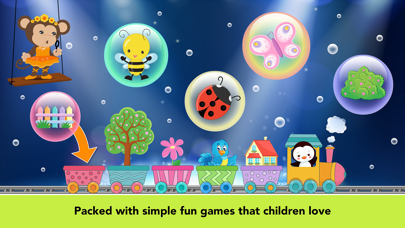
***** Developed by an award-winning education studio, 22learn, the creator of the best-selling Abby Basic Skills app, in cooperation with educational specialists. ***** A title from our extremely successful Abby series -- all TWELVE (!) RANKED #1 APP FOR KIDS on APP Store in many countries.
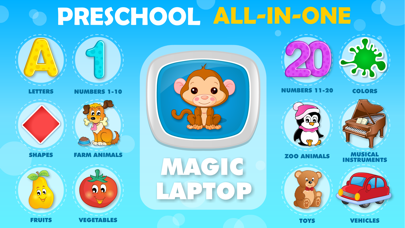
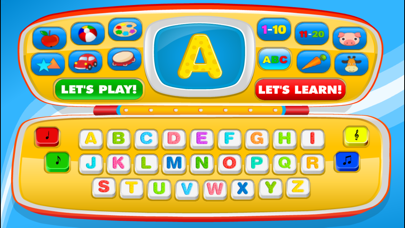
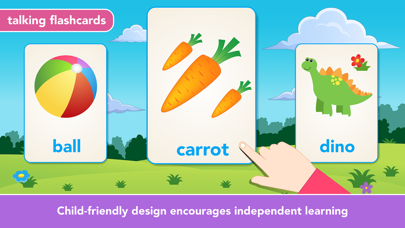
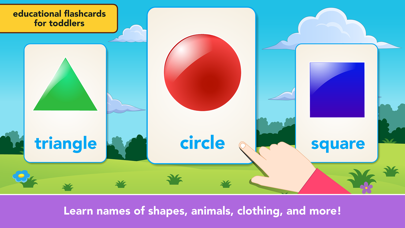
Let's come and play with me! This new user-friendly wonderful Abby's Magic Laptop for Preschool and Toddlers welcomes you to the colorful world of exploration and learning! This adorable learn and play laptop teaches children letters, numbers, colors, shapes, animals, toys, fruits, musical instruments, and more. Kids will love switching between categories. Actions lead to learning!
The application offers you in total the possibility of choosing from 12(!) thematic categories. Children will be thrilled to play with this laptop and learn new things. The numerous buttons the laptop offers invite exploration and enable children to determine their own pace of learning according to their individual needs.
The laptop includes two game modes: 'Let's Play!' and 'Let's Learn!' The switching between the modes is made easy by two large red buttons. Children typically do not experience problems learning to activate these two modes, but in case they do, we encourage parents to switch the mode for their children.
*Let's Play!* The 'Let's Play!' mode is designed primarily for children unfamiliar with the objects included, or those who want to refresh and enhance their knowledge of the already acquired vocabulary. To activate the mode, simply press the 'Let's play!' button, and choose a desired thematic category from one of the blue buttons in the upper half of the gaming space. For instance, after pressing a blue button with a picture of a ball, there are going to appear buttons with toys theme on the lower half of the gaming screen. When pressing the individual picture buttons then, the pictures are going to appear enlarged on the laptop monitor, the pronounced name and the written form of the word as well as its authentic sound and small animation follows afterwards.
*Let's Learn!* Do you want some practice too? Don't forget to try the 'Let's Learn!' mode! To activate this mode, tap on the 'Let's Learn' button. Afterwards, choose one of the twelve thematic categories and let the challenge begin! When the category has been selected, an enthusiastic monkey Abby appears on the laptop monitor and gives tasks to a child. The task is always to select the picture of the correct item that she pronounced. Of course, after each correct answer, the cute monkey provides words of praise and encouragement.
To make the laptop more engaging, we also included four colorful buttons in the lower half of the game screen. These simulate the functions of a videophone and include such funny effects such as entertaining sound effects and melodies.
Thank you for selecting our app! We sincerely hope your children will enjoy it!
Your 22learn team!
For the Terms of Use (EULA), see https://22learn.com/terms_of_use.html
Related: Slots Games, Arcade Games, Action Games
Key Features
- Education Genre: Immersive Education gameplay experience
- Highly Rated: 4.5-star average from thousands of players
- Free to Play: Download and start playing immediately at no cost
- iOS Compatible: Available on Apple App Store for iPhone and iPad
Pros & Cons
Pros
- ✓ Free to download and play
- ✓ High user ratings (4.5 stars)
- ✓ Regular updates and improvements
- ✓ Engaging Education gameplay
Cons
- ✗ Requires internet connection for some features
- ✗ May consume battery on extended play sessions
Frequently Asked Questions
Is Baby games for one year olds. free to play?
Yes, Baby games for one year olds. is completely free to download and play.
What devices can I play Baby games for one year olds. on?
Baby games for one year olds. is available for @if($game->google_play_id && $game->apple_store_id) and @endif@if($game->apple_store_id)iOS devices (iPhone/iPad) via Apple App Store@endif.
Does Baby games for one year olds. require an internet connection?
While some features of Baby games for one year olds. can be enjoyed offline, an internet connection is recommended for the full experience, including multiplayer features, updates, and cloud saves.
How do I download Baby games for one year olds.?
Simply click the "Download Now" button above to be directed to your device's app store. The game will be installed automatically after you confirm the download.