Screenshots
About this game
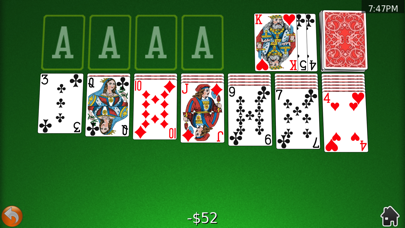
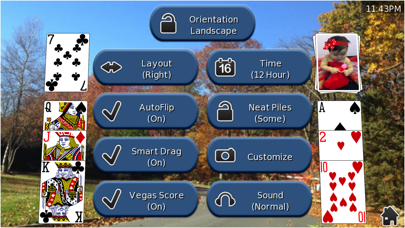
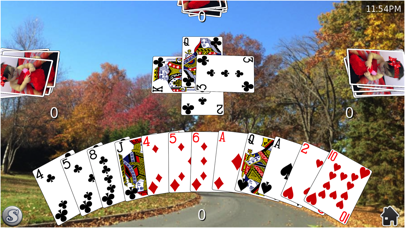
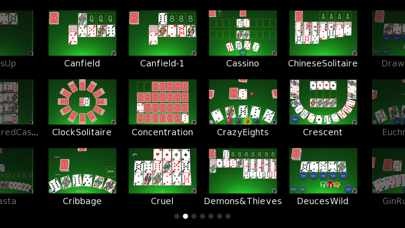
Card Shark includes a diverse and growing collection of solitaire and traditional card games. Card Shark is iPad and retina display compatible, and features the ability to install custom tables, card backs, and even card fronts.
Supported games include: Klondike (Classic Solitaire), FreeCell, Cassino, Canfield, Basic Rummy, Gin Rummy, Rummy 500, Spider Solitaire, Cruel Solitaire, Beleaguered Castle, Spiderette, Bristol Solitaire, Hearts, Memory Match (Concentration), Speed Match, Calculation, Forty Thieves, Euchre (US), Deuces Wild and Jacks or Better Draw Poker, Aces Up, Spades (non-partnership variant), Limit Texas Hold 'Em, Speed, Batsford Solitaire, Josephine, Red & Black, Sea Towers, Crazy Eights, Tripeaks, Golf, Eagle Wing, Pyramid, Old Maid, War, Go Fish, 13 Packs (aka Grandma's Game), Royal Cotillion, Blackjack (21), Royal Parade, Thieves of Egypt, Scorpion, Pile On, Montana, Canfield, Clock Solitaire, Kings Corner, Russian Cell, Yukon, I Doubt It, Four Seasons, Crescent, Osmosis (aka Treasure Trove), Canasta, La Belle Lucie, Australian Solitaire, Egyptian Ratscrew, SheepsHead(new), Kings in the Corner, Eight Off, Queenie (new), Samara (new)
Card Shark combines a silky smooth 3d presentation with tasteful animation, sounds, and an elegant drag-drop interface that has been lovingly fine-tuned for the touch screen. Touches and drag targets are forgiving, and piles are automatically split following completed gestures. Touch foundation piles to automatically complete a game.
Why clutter your device with separate card games, when you can stock it with a quality collection that continues to be expanded and improved regularly based on user requests?
Features include: - layouts for left/right handed stock placement - infinite undo/redo supported in all solitaire variants - tap foundation to autoplay cards - does not interfere with ipod background music - automatically saved/resumed games & statistics - multiple cards fronts, backs, and tables with ability to install new ones from your photo library
An online FAQ is available through the in-game help system. This answers common questions about the supported games and offers a sneak peak at features and new games slated for the next update. Feature and new game requests are always welcome.
"Out of all of the solitaire type card games I have tried, this one is by far the best I have come across in quite a long while." - www.geardiary.com
Featured as an outstanding app in Wired Magazine's 2011 App Guide!
Related: Puzzle Games, Simulation Games, Card Games
Key Features
- Games Genre: Immersive Games gameplay experience
- Highly Rated: 4.8-star average from thousands of players
- Free to Play: Download and start playing immediately at no cost
- iOS Compatible: Available on Apple App Store for iPhone and iPad
Pros & Cons
Pros
- ✓ Free to download and play
- ✓ High user ratings (4.8 stars)
- ✓ Regular updates and improvements
- ✓ Engaging Games gameplay
Cons
- ✗ Requires internet connection for some features
- ✗ May consume battery on extended play sessions
Frequently Asked Questions
Is Card Shark Collection™ free to play?
Yes, Card Shark Collection™ is completely free to download and play.
What devices can I play Card Shark Collection™ on?
Card Shark Collection™ is available for @if($game->google_play_id && $game->apple_store_id) and @endif@if($game->apple_store_id)iOS devices (iPhone/iPad) via Apple App Store@endif.
Does Card Shark Collection™ require an internet connection?
While some features of Card Shark Collection™ can be enjoyed offline, an internet connection is recommended for the full experience, including multiplayer features, updates, and cloud saves.
How do I download Card Shark Collection™?
Simply click the "Download Now" button above to be directed to your device's app store. The game will be installed automatically after you confirm the download.


