Screenshots


About this game
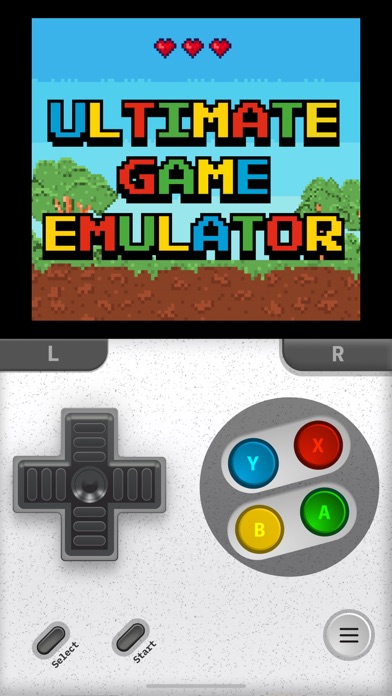
Gameboy Emulator: Retro Games is an ultimate emulator for iOS that supports a wide range of classic gaming systems, including GB, GBA, GBC, DS, NES, SNES, N64, PSP, PSX, PS1 and more.
FEATURES
1. Support Various Game Consoles: • Game Boy (GB) • Game Boy Color (GBC) • Game Boy Advance (GBA) • Nintendo Entertainment System (NES) • Super Nintendo Entertainment System (SNES) • Nintendo DS (DS) • Nintendo 64 (N64) • PlayStation (PSP, PSX, PS1) • And even more is coming soon!
2. Game Menu: • Save States & Load States: Effortlessly save and load your game progress from the pause menu. Enjoy unlimited save slots for multiple game saves. • Fast Forward: Speed up through slower sections with a quick toggle from the pause menu. • Mute: Silence the game audio whenever you need a moment of peace.
3. Custom Controllers Skin: Personalize your gameplay with a variety of sleek and stylish controller skins.
4. Multi-players: Challenge your friends and enjoy the fun together with multiplayer capabilities.
5. Community: Boast your game levels and share your game states with others. Download and explore levels shared by fellow gamers.
6. Fun Fact & Quizzes: Discover fun facts about your favorite games and test your knowledge with game quizzes
***Note: Gameboy Emulator: Retro Games should only be used with legally obtained game files. We do not support or condone piracy. This emulator is independently developed and is not affiliated with any console manufacturers.***
To support us you can choose to subscribe to our auto-renewing subscriptions: • Users can subscribe for one week (USD 4.99$) or one month (USD 6.99$) or lifetime access (USD 29.99$). After the free trial, the total amount for the subscription will be charged to your iTunes Account. The subscription automatically renews unless it is canceled at least 24 hours before the end of the current period. Your account will be charged for renewal at the total subscription price within 24 hours before the end of the current period. Any unused portion of the free trial is forfeited after purchase. Special introductory offers only apply to the first billing term. Subscriptions and auto-renewal may be managed or canceled via your iTunes Account settings: Setting > iTunes & App Store > Apple ID > manage subscription after purchase.
We would love to receive all your feedback to improve our app. • Terms of Use: https://smartwidgetlabs.com/terms-of-use/ • Privacy Policy: https://smartwidgetlabs.com/privacy-policy/ • You are welcome to contact us at support@smartwidgetlabs.com
Related: Slots Games, Action Games, Sports Games
Key Features
- Entertainment Genre: Immersive Entertainment gameplay experience
- Highly Rated: 4.1-star average from thousands of players
- Free to Play: Download and start playing immediately at no cost
- iOS Compatible: Available on Apple App Store for iPhone and iPad
Pros & Cons
Pros
- ✓ Free to download and play
- ✓ High user ratings (4.1 stars)
- ✓ Regular updates and improvements
- ✓ Engaging Entertainment gameplay
Cons
- ✗ Requires internet connection for some features
- ✗ May consume battery on extended play sessions
Frequently Asked Questions
Is GBA, PSP, DS Game Emulator free to play?
Yes, GBA, PSP, DS Game Emulator is completely free to download and play.
What devices can I play GBA, PSP, DS Game Emulator on?
GBA, PSP, DS Game Emulator is available for @if($game->google_play_id && $game->apple_store_id) and @endif@if($game->apple_store_id)iOS devices (iPhone/iPad) via Apple App Store@endif.
Does GBA, PSP, DS Game Emulator require an internet connection?
While some features of GBA, PSP, DS Game Emulator can be enjoyed offline, an internet connection is recommended for the full experience, including multiplayer features, updates, and cloud saves.
How do I download GBA, PSP, DS Game Emulator?
Simply click the "Download Now" button above to be directed to your device's app store. The game will be installed automatically after you confirm the download.